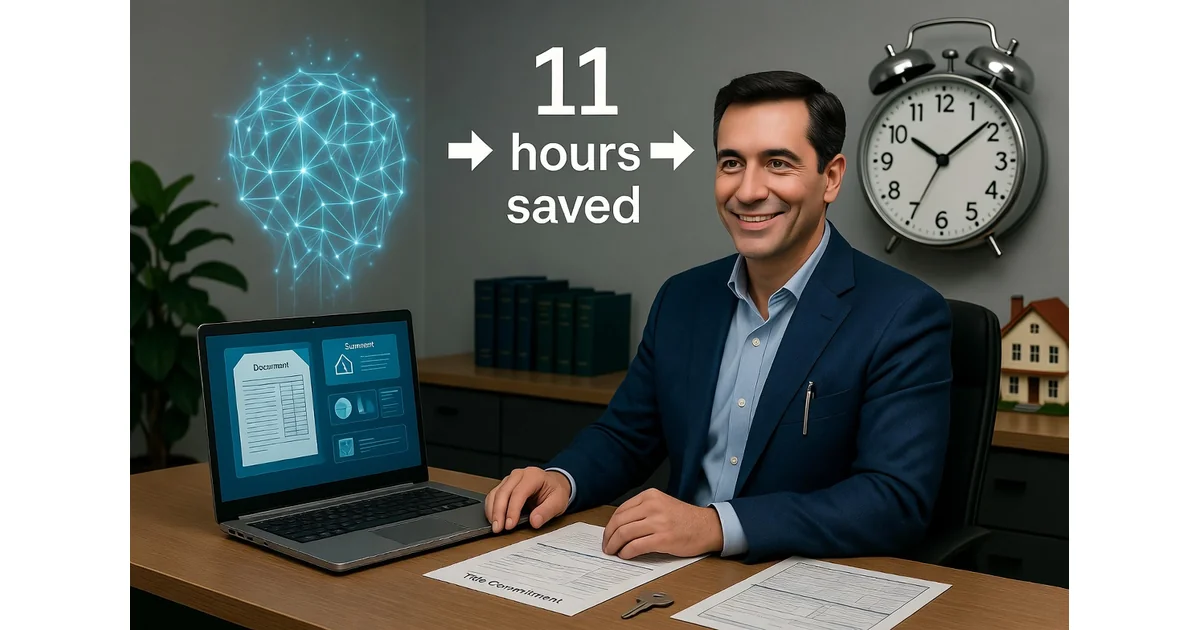
AI Automation for Real Estate Attorneys: A Case Study (11 Hours Per Week Saved)
A residential real estate closing attorney with fourteen years in practice shares how AI workflows saved 11 hours a week — with honest numbers and the one rule that is non-negotiable.
Summary
A real estate closing attorney implemented AI workflows over five months to automate routine drafting, document summarization, and file tracking — the administrative bulk that surrounds the actual legal work. The result: 11 hours per week recovered, files handled increased from 30–35 to 42, and evening work eliminated. The essential principle: draft with the machine, verify with your own licensed eyes.
The Problem: What Actually Eats Your Week
I have practiced residential real estate law for fourteen years, handling closings in an attorney-closing state. For most of that time, my working assumption was that the job had a hard floor on how fast it could go. Title searches take as long as the search takes. The lender sends the closing package when the lender sends it. A settlement statement has to be right to the penny, and getting it right means doing it slowly.
I still believe most of that. What I got wrong was assuming that because I could not automate the legal work, I could not automate anything. It turns out the legal work was never the part eating my evenings. The drafting, the chasing, the summarizing, the re-typing of the same six emails forty times a month — that was the part. And almost all of it, I have now offloaded.
Before changing anything, I did something I should have done years earlier: for three weeks I logged how I spent my working hours in fifteen-minute blocks. Not billable time — actual time. The results were uncomfortable.
Out of a roughly 47-hour week, only about 19 hours was work that genuinely needed a licensed attorney's judgment: reviewing title commitments, advising clients on real risks, clearing genuinely tricky title defects, exercising discretion when a deal was wobbling. Call it 40% of my week. The other 60% broke down like this:
| Task | Hours/Week | % of Total |
|---|---|---|
| Routine correspondence drafting | 9 | 19% |
| Reading and summarizing documents | 7 | 15% |
| Administrative assembly (statements, checklists) | 6 | 13% |
| Chasing and status-tracking | 6 | 13% |
| Total routine work | 28 | 60% |
That is 28 hours a week of work that, when I looked at it squarely, did not require fourteen years of practice and a bar license. It required accuracy, consistency, and a pulse. That realization is what made me take AI automation for real estate agents seriously, having previously dismissed it as a toy.
What I Did, in the Order I Did It
I want to be clear that I did not buy a single expensive "legal AI platform." I started with a general-purpose AI assistant — the same kind anyone can access for a modest monthly subscription — and a disciplined set of prompts. The whole point was to test the idea cheaply before committing. Total tooling cost for the first three months was under $80 a month. I mention this because the biggest barrier I see among colleagues is the assumption that AI automation for real estate agents requires a five-figure software budget. It does not.
Month 1: Correspondence
I started with the most repetitive thing I do — routine emails. I built a small library of prompts, each one fed with my own best past examples so the output sounded like me and not like a chatbot. Update emails to clients, replies to standard questions, chasers to the loan officer. I draft nothing from a blank page now. The AI produces a first version from a few bullet points; I edit and send.
The discipline that mattered: I never send anything unread. Every draft gets a proper review. But reviewing and correcting a draft takes me a fraction of the time that writing it from scratch did. My measured average for a routine client update email went from about 9 minutes to about 3.
Month 2: Document Summarizing
Title commitments and HOA resale packages are dense and repetitive, and the information I actually need is scattered through them. I now run each through a structured summarizing prompt that pulls out the specific things I care about — exceptions and requirements on Schedule B, easements, restrictive covenants, anything in the survey that affects use or marketability, delinquent assessments in an estoppel certificate — into a consistent format.
This is where I am most careful, and I will come back to it, because this is the workflow with the most risk. But measured purely on time: reviewing a residential title commitment dropped from around 25 minutes to around 9, because I am now reviewing a structured summary against the source rather than reading cold.
Month 3: Settlement Statements and Closing Packets
These follow the same structure every time. I built a process where the figures and key terms are assembled into a first-draft document automatically, which I then check line by line against the Closing Disclosure and the lender's instructions. The checking is non-negotiable and I do it as carefully as I ever did. But assembling the draft — the part that used to involve a lot of copying, pasting, and re-typing — is gone.
Months 4–5: Chasing and Status-Tracking
This was the sleeper hit. Every Monday I now produce a single prioritized report across all live files: what is outstanding on each, who I am waiting on — payoff letters, surveys, HOA estoppels, lender conditions — and what is approaching a closing date. It turned a vague background anxiety, the sense that something was slipping somewhere, into a concrete list. I had not realized how much mental energy I was spending simply remembering the state of 30 files until I stopped having to.
The Numbers, Honestly Framed
These are my own figures, measured in my own practice with the same fifteen-minute logging method I used at the start. They are not independently audited and I would not present them as anything other than what they are: one attorney's results. But I have been deliberate about measuring rather than guessing.
Efficiency Gains
| Metric | Before | After | Change |
|---|---|---|---|
| Routine email drafting time | 9 min | 3 min | ↓ 65% |
| Title commitment review time | 25 min | 9 min | ↓ 60% |
| Settlement statement prep | ~40 min | ~20 min | ↓ 50% |
| Weekly routine work hours | 28 hrs | 17 hrs | ↓ 39% |
| Total time recovered | — | — | 11 hrs/week |
Capacity Impact
- Files handled:increased from 30–35 to 42 at the time of writing, with no increase in working hours
- Working hours:dropped from 47 hours to 41 hours per week, while carrying more files
- Evening work:eliminated — the three-week log showed no routine evening work
- Stress level:lower, due to concrete status tracking replacing background anxiety
The Honest Caveat
I want to be careful not to oversell. I did not "double my output" or "10x" anything, and I would be skeptical of anyone in this profession who claims they did. The gains are real and meaningful — 11 hours a week is a significant change in a professional's life. Some of it has gone into carrying more files without working later. Some of it has gone into actually being home for dinner. After fourteen years, I will take both.
What Did Not Work — And What I Refuse to Automate
Three things I tried and abandoned, and one principle I will not compromise on.
1. Novel Title Issues
I tried using AI to help analyze a complex easement dispute. The output was plausible-sounding and wrong in ways that were not immediately obvious. A standard residential title commitment is a structured document with predictable elements — AI handles it well. A genuinely novel title issue involves judgment about how a specific court in a specific jurisdiction has treated a specific type of defect. That is not a summarizing task. It is a legal analysis task, and it is mine.
2. Legal Advice on Real Risks
When a client asks me whether a particular easement is a problem for their intended use, the answer depends on facts I know about them, the property, the neighborhood, and the likely behavior of the dominant estate owner. No AI has that context. I use AI to draft the letter that conveys my advice. I do not use it to form the advice.
3. The One Rule That Is Non-Negotiable
"Draft with the machine. Verify with your own licensed eyes."
Every piece of AI output that leaves my office has been read, checked, and approved by me. This is not a best practice — it is the entire safety mechanism. The time saving is real precisely because the human judgment never left the room. The moment you start sending AI drafts unread, you have not automated your practice; you have abandoned it.
What I Would Tell a Colleague
The colleagues I have spoken to who have not started yet tend to fall into one of two camps. The first group thinks AI is a gimmick and that real legal work cannot be automated. They are right about the second part and wrong about the first. The second group is waiting for a purpose-built legal AI tool that does everything perfectly. They will be waiting a long time, and in the meantime they are leaving hours on the table every week.
The practical reality is that a large fraction of what a solo real estate attorney does every day is not legal work — it is administrative work that happens to require legal accuracy. That is exactly the kind of work AI handles well. You do not need a specialized tool. You need a disciplined prompt library and the habit of reviewing everything before it goes out.
Minimum Viable AI Automation Workflow for Real Estate Professionals
For a real estate attorney or agent beginning tomorrow, the minimum viable AI automation workflow is five steps:
The discipline is the same across all five: the AI handles the volume; the human handles the judgment.
Looking for the complete AI tool stack for realtors?
Our companion guide covers every AI tool for the realtor workflow — from lead capture through closing — with verified pricing, compliance guidance, and a minimum viable stack for solo agents.
Read: Best AI Tools for Realtors in 2026Key Takeaways
- •AI workflows can save real estate attorneys 11+ hours per week on routine tasks
- •Automation works best for title summaries, file tracking, and document drafting
- •Compliance and ethics must be built into every AI workflow from the start
Frequently Asked Questions
Related Articles
AI for Real Estate Lead Generation
How one agent doubled her GCI in 90 days using a four-piece AI lead gen engine.
ToolsBest AI Tools for Realtors in 2026
The complete stack that actually works — lead capture, nurturing, listing prep, and closing.
Data & Research2026 AI Productivity Report: US Realtors
Real data on how AI is changing realtor productivity, income, and working hours.
Related Articles
2026 AI Productivity Report: US Realtors
Data-driven report on how US realtors are saving time with AI.
AI for Real Estate Lead Generation: The 2026 Playbook
How solo agents use AI to automate lead qualification, follow-up, and nurturing.
AI Workflow Automation for Real Estate Agents
Cut listing prep from 2 hours to 9 minutes with the New-Listing Launch Kit.
The Agent Almanac editorial team researches and documents how AI tools are changing the working lives of real estate professionals and attorneys across the US. Our case studies are based on practitioner interviews and verified workflow data.
- 1ABA Model Rules of Professional Conduct — Rule 1.1 (Competence) — American Bar Association, 2024
- 2ABA Formal Opinion 512 — Generative AI Tools — American Bar Association, 2024
- 3LexisNexis+ AI for Legal Professionals — LexisNexis, 2025
- 4Thomson Reuters Westlaw AI-Assisted Research — Thomson Reuters, 2025
- 5Casetext CoCounsel — Casetext, 2024
- 6ALTA Best Practices Framework — American Land Title Association, 2024
- 7RESPA Compliance Resources — CFPB, 2024
All statistics and claims in this article are drawn from the sources listed above. Where data has been synthesised from multiple sources, the most conservative figure has been used. The Agent Almanac does not receive payment from any tool or platform mentioned in this article.
Ready to reclaim 11 hours a week?
The Realtor's Secret Weapon gives you 18 copy-paste AI workflows for every stage — lead capture, client communication, listing prep, and closing coordination. No setup required. Start seeing results in week one.
Get the Realtor's AI Workflow Guide